Deploy your first app
Learn all the steps to deploy an application over your cluster and see how it’s integrated with the different K8SaaS tools. A fully working example application is available at github.com/ccl-consulting/k8saas-user-custom.
This guide serves as an example of deploying an app and integrating it into the K8SaaS ecosystem. It is not the only method - you can deploy your application independently and integrate it with K8SaaS on your own terms.
By integrating with K8SaaS, you can easily track your application and structure your deployments. Making your application “K8SaaS compliant” ensures it is automatically tracked in system Git repositories and managed by ArgoCD.
Folder architecture
Section titled “Folder architecture”A specific folder architecture has to be used in order to make your application K8SaaS ready. Here’s an example.
You have got the choice to either use Helm, Kustomize or both of them at the same time.
The app.yaml file is mandatory for a new application.
Directory<app-name>
Directoryhelm
- meta.yaml
- values.yaml
Directorykustomize
- kustomization.yaml
- …
- app.yaml
You can source the application configuration from a Helm chart. Start by creating a helm folder for your application. This example uses the Podinfo chart.
In this helm folder, two files can be created:
apiVersion: k8saas.io/v1alpha1kind: HelmConfigmetadata: name: podinfospec: # Chart repository url repo: https://stefanprodan.github.io/podinfo # Chart name chart: podinfo # Should be deployed in the k8saas-system namespace namespace: k8saas-system # Chart version version: 6.7.1 # Optional: if you want to skip CRDs deployment using Helm # skipCrds: true # Optional: if you want to skip schema validation using Helm # skipSchemaValidation: trueKeep in mind the values.yaml is mandatory for a helm app. It contains the values related to the helm chart you’re deploying.
Kustomize
Section titled “Kustomize”Adding a Kustomize layer is optional. Using it will require a kustomization.yaml file, the rest of the files are set as needed,
following a classic kustomize usage.
ArgoCD app.yaml
Section titled “ArgoCD app.yaml”The structure of an application needs to be respected in order to integrate it into the K8SaaS Argocd.
Mandatory - Make sure to set the metadata namespace as k8saas-system. The repoURL also has to match the
custom repository URL set in your config.yaml file during the configuration.
apiVersion: argoproj.io/v1alpha1kind: Applicationmetadata: name: <app-name> # Should be deployed in the k8saas-system namespace: k8saas-system annotations: argocd.argoproj.io/manifest-generate-paths: . finalizers: - resources-finalizer.argocd.argoproj.iospec: destination: namespace: <target-namespace> name: in-cluster project: default source: path: <app-name> # Default URL, should match your configuration repoURL: http://gitea-http.k8saas-system.svc:3000/root/k8saas-custom targetRevision: HEAD syncPolicy: automated: prune: true selfHeal: true syncOptions: - CreateNamespace=trueValidate integration
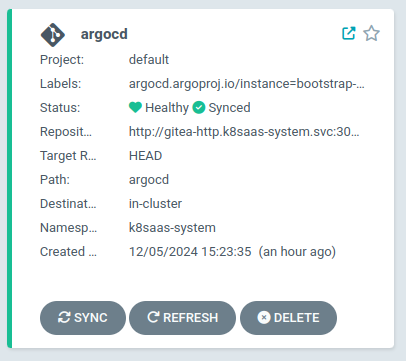
Section titled “Validate integration”In order to validate your integration, navigate to the ArgoCD UI and look for the application health. Once the application found in the “healthy” state, you can validate your application is running.