Backup your app
Velero backups
Section titled “Velero backups”Velero enables you to back up your application’s configuration and resources. To automate backups, set up a Schedule that defines the interval between each backup.
Note: Deploy your Velero CRDs in the
k8saas-systemnamespace in order for them to be picked up by Velero.
apiVersion: velero.io/v1kind: Schedulemetadata: name: sample-backup-schedule namespace: k8saas-systemspec: paused: false schedule: 0 1 * * * # Optional: choose your backup storage location # storageLocation: s3gw template: includedNamespaces: - sample-namespaceDefault Configuration
Section titled “Default Configuration”By default, Velero stores backups in S3GW, a compatible object storage system. Below is the default configuration for the backup storage location.
Note: S3GW is located in-cluster and should be changed for production use to an external backup location.
apiVersion: velero.io/v1kind: BackupStorageLocationmetadata: name: s3gw namespace: k8saas-systemspec: default: true provider: aws accessMode: ReadWrite config: region: us-east-1 s3ForcePathStyle: "true" s3Url: http://s3gw.k8saas-system.svc.cluster.local objectStorage: bucket: velero-backups credential: key: credentials name: s3gw-aws-credentialsValidate the Integration
Section titled “Validate the Integration”To verify your backup configuration and ensure it works:
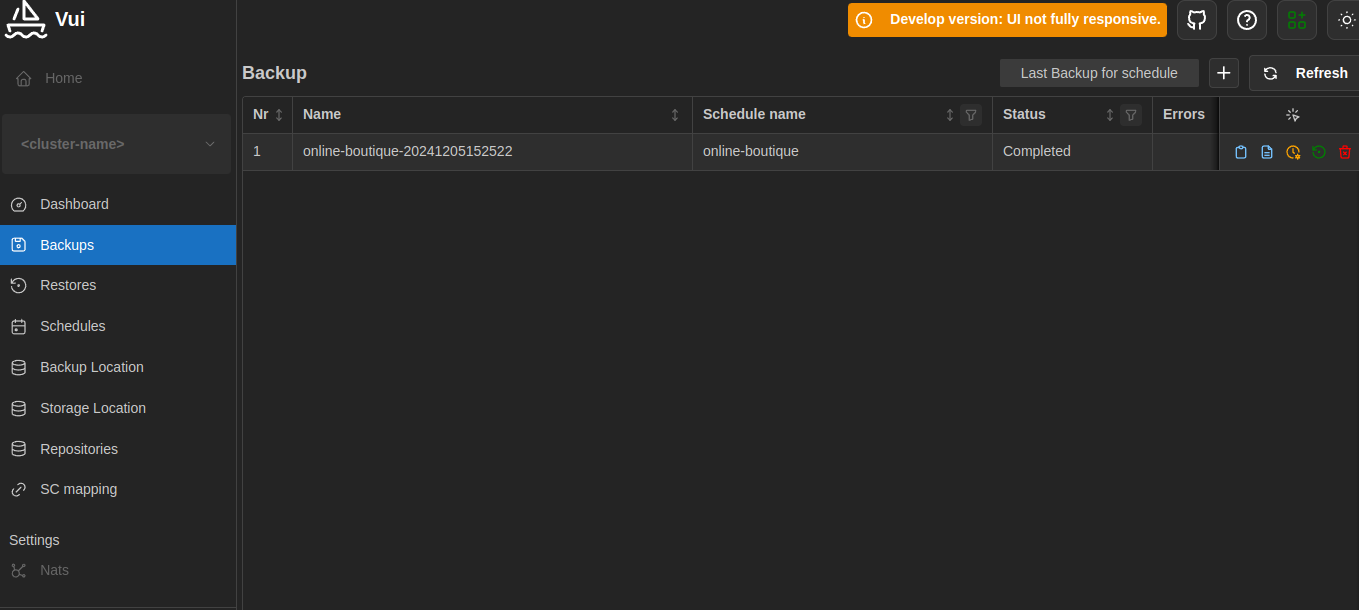
- Access the Velero UI (available through Forecastle).
- Navigate to the backups and schedules list.
- Confirm that backups are being created according to your schedule. If backups are visible and correspond to the defined schedule, your integration is correctly configured.
Note: A backup without a successful restore test is not reliable. Always test restoring your backups to ensure their integrity.